
Look, Layouts & Game Layout
Change how your coin page looks and how it is arranged. All of it is done in your coin manager.
| Plan | |
|---|---|
| Preset colors, fonts, a background image | Free |
| Wide desktop pages | Free |
| Layouts, including the Game layout, and theme presets | Pro |
| Any color, gradients, video backgrounds, animated overlays, custom CSS | Pro |
Open the style editor
- Open your coin manager: account button, My Coins, Manage.
- Press the Style button (the sliders) in the top bar, beside your coin's logo. That is all.
- The same editor opens from Select Chain: press your coin's logo and ticker at the top, then the sliders button at the top of that window (circled below), next to the gear. On a very narrow phone this is the way in.
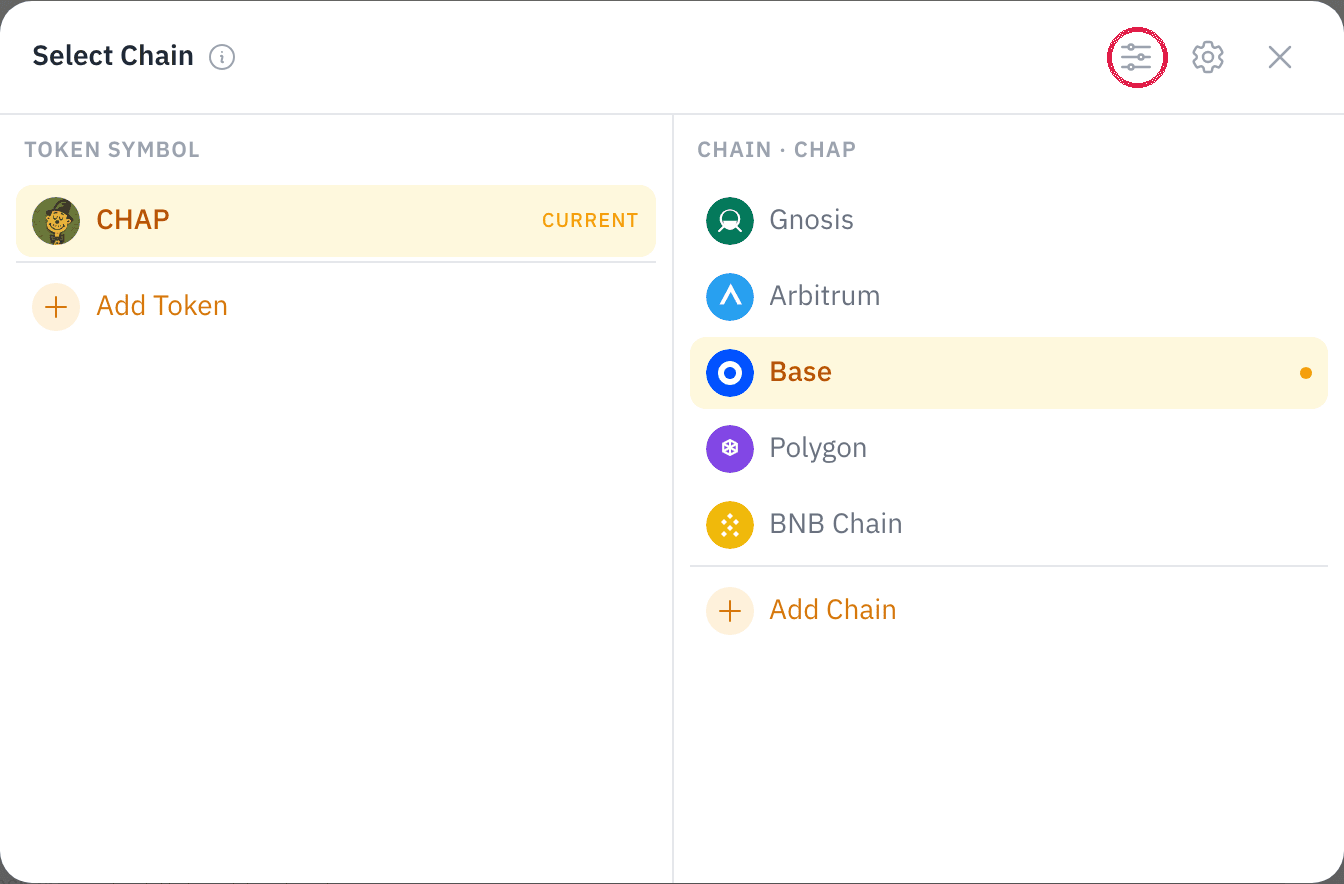
You should see a window titled Style Defaults. Changes preview as you make them. Press Save to keep them, or Reset to Defaults to go back. Owners and managers can open it.
The Game layout
The Game layout puts your game in a big slot with your price chart and a buy panel beside it, so a visitor plays, sees the price and can buy on one screen. Your coin header, store, live trades and announcements follow below. It needs Pro. On Free, the layout cards show a Pro badge and can't be picked.
- Open the style editor.
- Under Page Layout & Theme, press Game, then Save.
- Back on your page, the big slot reads Your game goes here. Only you see that note. Press Add a game and pick one.
You should see the game in the big slot, the chart and the Buy panel beside it. On a phone the game comes first, then the buy panel, then the chart.
- The Buy panel shows your coin's price with one-tap amounts. Its button opens your page's trade sheet at that amount, and the visitor confirms there in their wallet. You can add it to any layout from Add Content → Widget.
- Apps the layout does not place, such as a music player, keep their size and move below it.
- The Game layout starts Wide on a desktop.
- To publish your own game, see Publish on Chain Daddy.
Games in full screen
When a visitor plays in full screen, your page keeps a small HUD around the game: your coin's price and 24-hour change in the top corner, and Trade and Exit fullscreen in the bottom corner. It fades after a few seconds and comes back when they point at or tap the button left in the corner. Trade opens your trade sheet over the game.
On every plan you can switch the Price card and the Trade button off: in the style editor, under Games in full screen. Exit can't be switched off. The Chain Daddy logo in the HUD goes with your page's watermark, from Pro+.
Desktop width: Column or Wide
On a desktop screen your page is either a Column (one centred column) or Wide (the page uses the screen, up to 1680 pixels). Free on every plan.
- Open your coin manager and stay on the Page tab.
- In the top bar, select the desktop button. Column and Wide appear beside it.
- Press Wide.
You should see your page spread across the screen, each app the same share of the page as before. The choice is saved, and it is what desktop visitors see.
- Column has 6 grid columns. Wide has 12, so apps can sit in thirds and quarters.
- Each keeps its own arrangement. Moving an app while Wide is on leaves the Column arrangement alone, so switching back shows it as you left it.
- Phones are not affected. They show your mobile arrangement, or your desktop one reflowed if you have not made one.
- Link in Bio is always its narrow column.
Layouts
Seven layouts, under Page Layout & Theme in the style editor. From Pro.
- Default: the full coin page, with market data, apps, links and deals
- Link in Bio: centered avatar, name and big buttons to your socials
- Landing: a single-page hero with a stat strip, contract address and live chart
- Trading Desk: a big candlestick chart with a live stats rail, announcements underneath
- Stream: a slim identity bar over a full-width chart, sized for a stream capture
- Streamer: your live stream with a tip jar beside it. It starts with the Twitch player. Swap in YouTube or Kick from Add Content → Widget
- Game: above
A layout is a starting arrangement. Every block in it is an app you can move, resize or remove, and picking another layout later rearranges the page again.
Three theme presets sit on the same card and set colors, surface and fonts in one click: Default, Neon Terminal (always dark) and Minimal Light (always light). Default follows the visitor's own light or dark setting. Also from Pro.
Colors and fonts
- Background: 16 presets, from Midnight and Ocean to Copper and Obsidian.
- Accent, for buttons and highlights: 16 presets.
- Fonts: ten presets, including System, Plex Sans (the site default), Inter, Serif, Mono, Display, Rounded and Condensed.
- Any color (Pro): a hex value for background and accent, or a two-stop gradient for either.
Backgrounds
Under Background Media in the style editor.
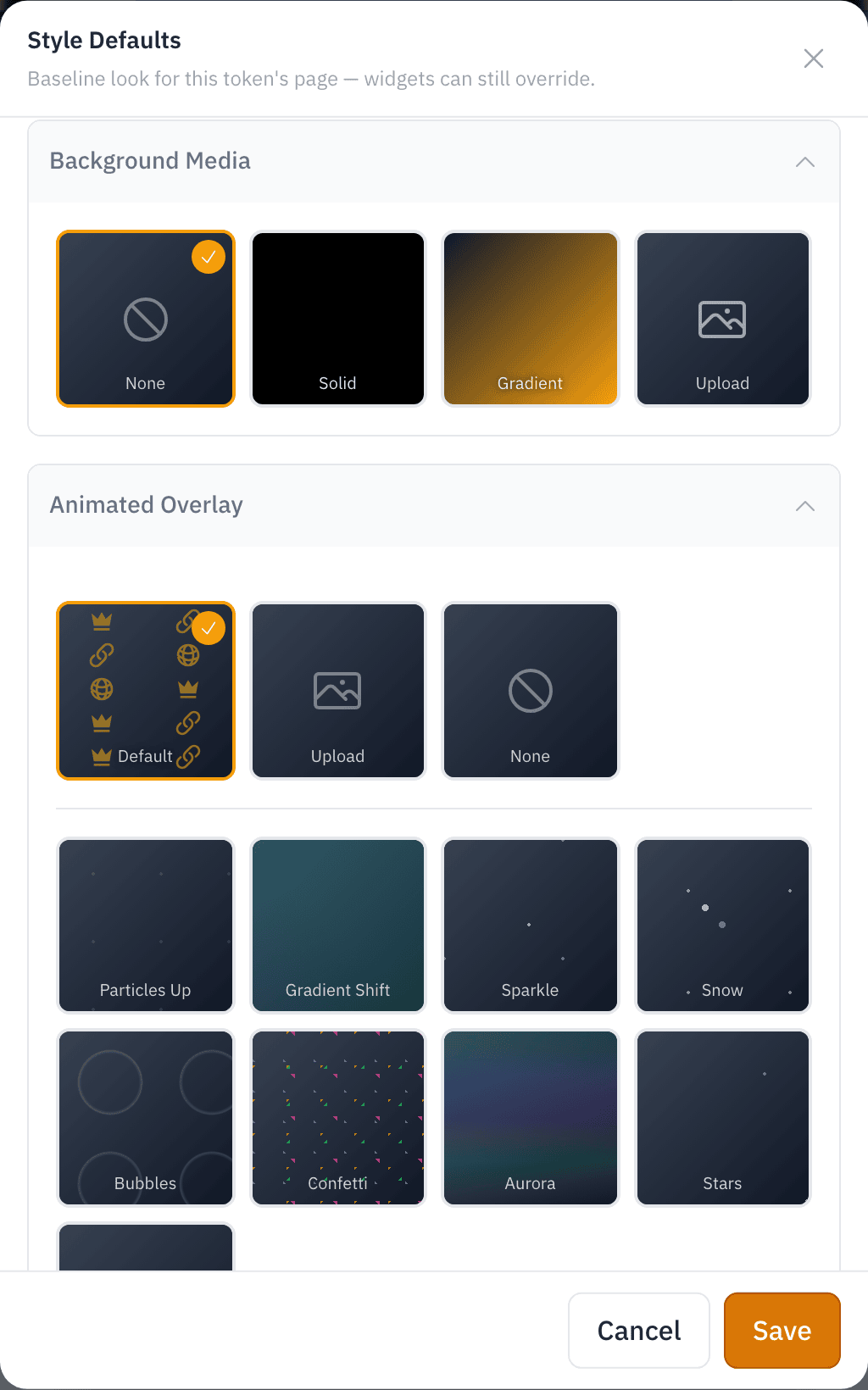
- Image: PNG, JPG, WebP or GIF, up to 8 MB. Free.
- Video (Pro): MP4, WebM or MOV, up to 11 MB and 20 seconds. It loops, without sound.
- Animated overlay (Pro): motion on top of any background, such as Particles Up, Sparkle, Snow, Bubbles, Confetti, Aurora, Stars or Fireflies, with opacity, speed and rotation. Or upload your own GIF, APNG or PNG, up to 3 MB. A Free page shows Chain Daddy's built-in pattern. Pick None to turn it off, on any plan.
Custom CSS (Pro)
Write CSS (the code that styles web pages) for any element on your coin page, up to 5 KB. It applies only to your page. @import, expression(), javascript: URLs, and script and style tags are removed.
Featured links
Pin up to 12 links near the top of your page. Each is a label (up to 40 characters) and a URL: your docs, a listing, a launch post. Your social links are separate: add those on the page itself, and verify them for a badge.