
Social Verification
Prove you own your socials and your website, and each one gets a check badge on your coin page, so visitors know which accounts are really yours.
How verification works
1. Add a link. Add a social or website link on your coin page. Chain Daddy detects the platform.

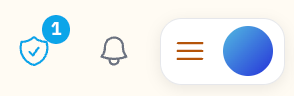
2. It starts unverified. New links carry a shield-question badge, and a shield in the top bar counts how many are waiting.
 |  |
3. Open the Verify panel. Click the shield, or any shield-question badge. The Verify External Links panel lists every link with a Verify button (or Verify All).
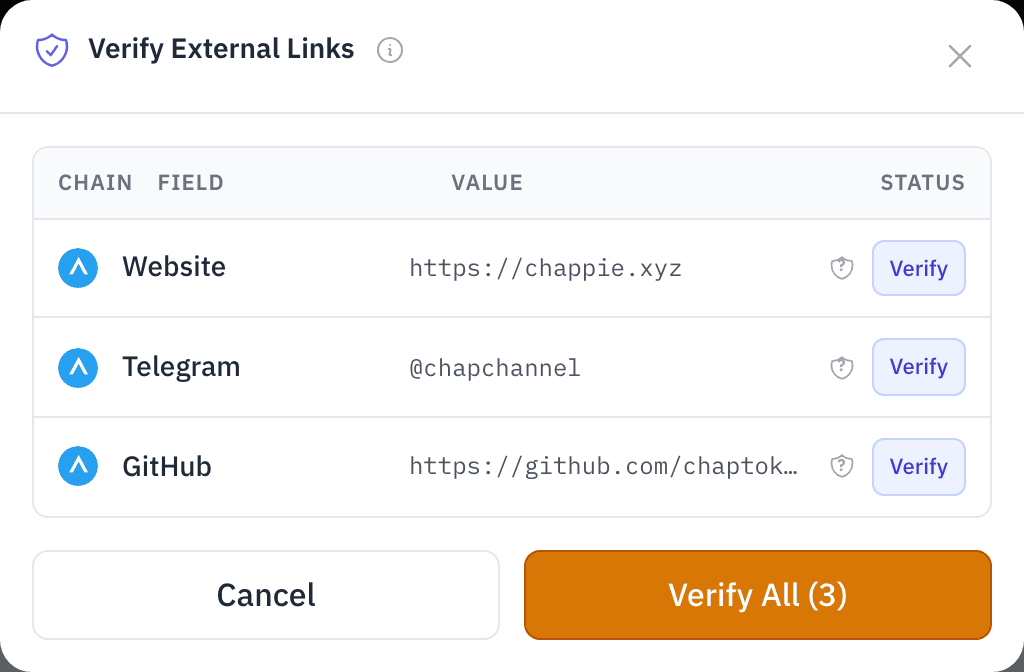
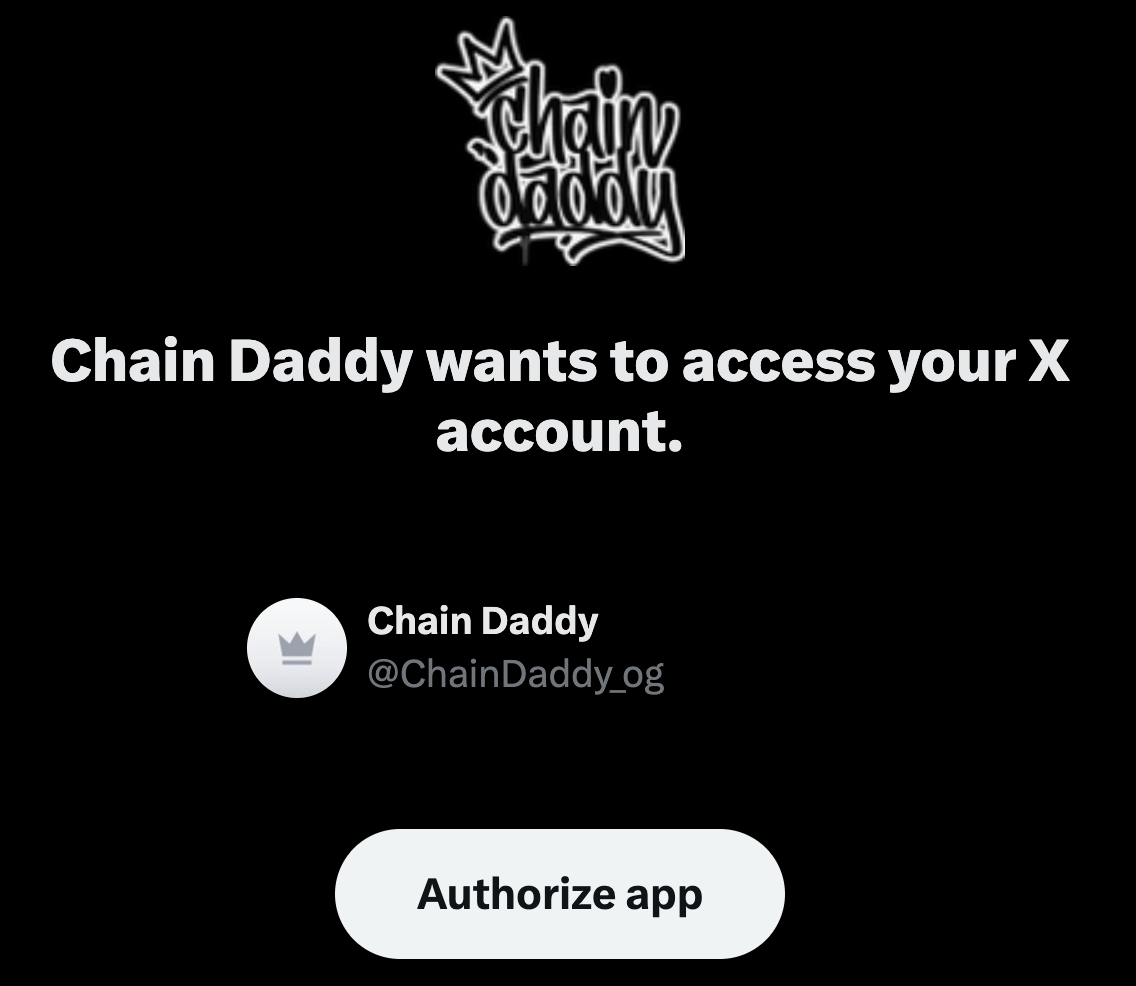
4. Prove ownership. On some platforms you sign in to that account (read-only). On others you paste a one-time code into your bio, website or whitepaper. Each method is below.
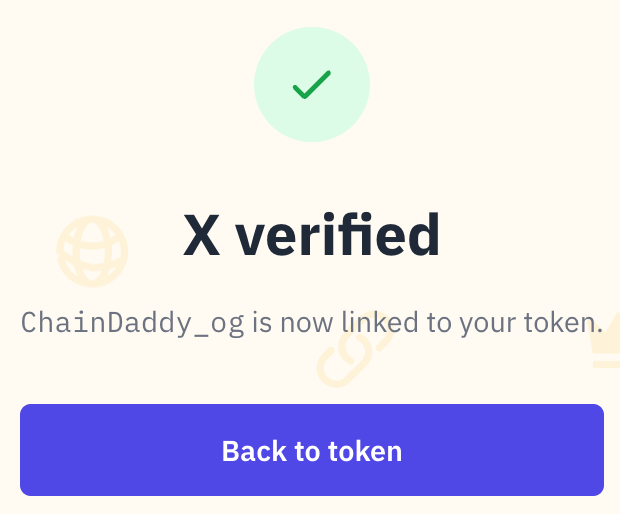
5. Verified. The account is linked to your coin, and shows a check badge on your page.
 |  |
You sign nothing with your wallet. Just be signed in with the wallet that holds your registration.
Supported Platforms
| Platform | How you prove it | Badge Display |
|---|---|---|
| X (Twitter) | OAuth | Verified handle with link |
| Discord | OAuth | Verified username with link |
| Twitch | OAuth | Verified channel with link |
| YouTube | OAuth | Verified channel with link |
| Kick | OAuth | Verified channel with link |
| GitHub | OAuth | Verified username with link |
| TikTok | Bio code | Verified handle with link |
| Telegram | Bio code | Verified channel with link |
| Bio code | Verified handle with link | |
| Bio code | Verified username with link | |
| PumpFun | Wallet match or bio code | Verified creator badge |
| Website | DNS TXT / HTML meta | Verified domain with link |
| Whitepaper | Code in the document | Verified link |
| ENS / SNS name | Resolves to your wallet | Verified domain with link |
Sign-in verification (X, Discord, Twitch, YouTube, Kick, GitHub)
Prove you control an account by signing in to it (the "OAuth" method in the table above).
Flow
- Click Verify on the link in the Verify External Links panel
- You are sent to the platform to authorize
- Grant read-only access
- The badge appears on your coin page
What Gets Verified
- Your platform username or channel name
- The link between your wallet address and that identity
- The time of verification
Everything you grant is read-only. On Twitch, that includes your account's email.
ⓘ What each platform lets Chain Daddy read
| Platform | Access Granted |
|---|---|
| X | Read profile and tweets (tweet.read users.read) |
| Discord | Identify (username, avatar) |
| Twitch | Read user info, including email (user:read:email) |
| YouTube | Read channel info (youtube.readonly) |
| Kick | Read user and channel info |
| GitHub | Read user profile (read:user) |
Bio Code Verification (TikTok, Telegram, Instagram, Reddit)
Prove you control an account by putting a one-time code in its bio or description.
Flow
- Click Verify on the link in the Verify External Links panel
- Copy the code. It is valid for 10 minutes
- Paste it into your profile bio or channel description
- Enter your handle and click Check
- Chain Daddy reads your public profile and confirms the code
- The badge appears. Remove the code from your bio
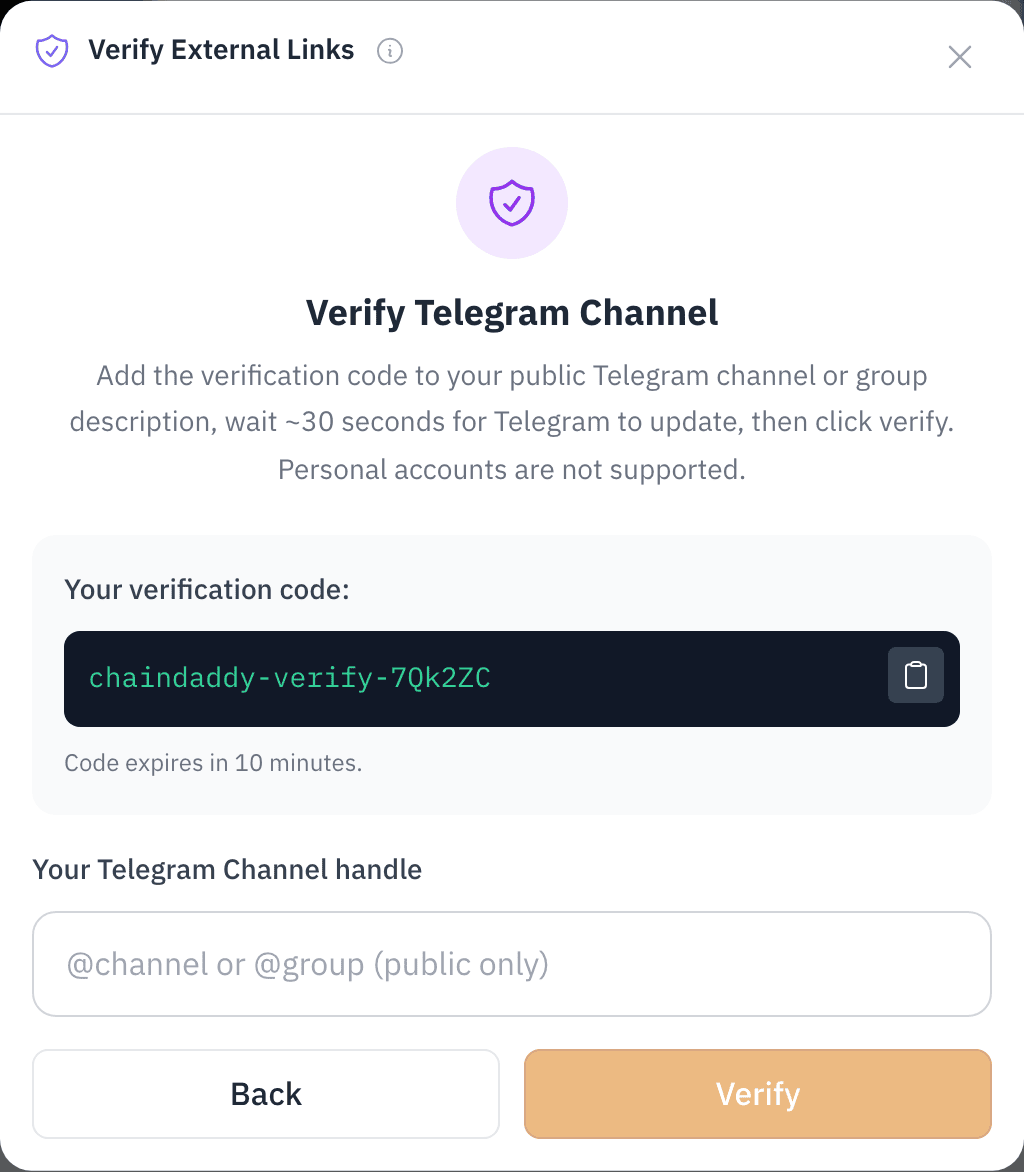
Platform-Specific Details
| Platform | Where to Place Code |
|---|---|
| TikTok | Profile bio |
| Telegram | Channel description (public channels or groups only) |
| Profile bio | |
| User bio/about |
TIP
The code only needs to be there at the moment you click Check. Remove it right after.
Telegram: public channel or group
Chain Daddy reads the description of a public Telegram channel or group. You need:
- A public channel or group with a
@username. Private ones (t.me/+invite-link) cannot be verified. Make yours public, or create a dedicated channel. Telegram's guides: How to create a channel and How to make a public channel/group. - Admin rights, so you can edit the description.
- The code in the
Descriptionfield, not in a post. Channel info → Edit → Description → paste → save.
Just edited the description?
A new description can take about 30 seconds to show. If the check fails right after saving, wait and click Check again.
Telegram: personal account
Personal Telegram accounts can't be verified in the app. Verify a public channel or group instead.
PumpFun Verification
Prove you created a coin on PumpFun: Chain Daddy checks that your connected wallet controls that coin on Solana.
Flow
- Click Verify on your PumpFun link
- Enter the coin's mint address
- Chain Daddy checks on-chain that your wallet is the mint authority (or, for graduated coins, the update authority)
- No match? Use the bio-code method on your PumpFun profile instead
- The badge appears on your coin page
Website Verification
Prove you control a domain by publishing a one-time code there. Two ways: a DNS record (a setting wherever your domain is managed) or a line of code in your site's HTML.
Method 1: DNS TXT Record
Add a TXT record to your domain's DNS settings:
_chaindaddy.yourdomain.com TXT "cd-verify=YOUR_VERIFICATION_CODE"Method 2: HTML Meta Tag
Add a meta tag to your site's <head>:
<meta name="chain-daddy-verify" content="YOUR_VERIFICATION_CODE">Flow
- Click Verify on your website link
- Enter your domain
- Copy the code (valid for 10 minutes)
- Add the DNS TXT record or the meta tag
- Click Check Verification
- The badge appears on your coin page
DNS changes take time
Most DNS providers show a new TXT record within a few minutes; some take up to 48 hours. The meta tag works as soon as your site is updated.
Not a verified site
This badge shows the link is yours. It is a different record from the one that makes a domain one of your coin's verified sites, which is what Sign in with Chain Daddy, apps on your own site and checkout on your own site read.
Whitepaper and ENS / SNS
- Whitepaper: paste the code Chain Daddy gives you anywhere in the document at the URL you linked, then click Check.
- ENS / SNS name: no code. Chain Daddy resolves the
.ethor.solname and confirms it points at your connected wallet.
Verification Badges
Verified links show a check badge on your public coin page:
- Platform icon and verified handle or channel
- A link to your profile on that platform
- The verification date, on hover
Badges sit in the coin page header, visible to everyone. Links you added but have not verified show a shield-question badge until you finish the flow.

Social Links
Any of these links can go on your page; verified ones get a check badge.
| Link Type | Format | Verifiable |
|---|---|---|
| Website | Any HTTPS URL | Yes |
| X (Twitter) | Handle or profile URL | Yes |
| Discord | Invite link | Yes |
| Telegram | Channel or username | Yes |
| GitHub | Repository or org URL | Yes |
| YouTube, Twitch, Kick | Channel URL | Yes |
| TikTok, Instagram, Reddit | Handle or profile URL | Yes |
| PumpFun | Coin or profile URL | Yes |
| Whitepaper | Documentation URL | Yes |
| Crypto domain (ENS / SNS) | name.eth or name.sol | Yes |
| GitLab, Bitbucket | Repository or org URL | No |
| Medium, Facebook, LinkedIn | Profile URL | No |
| Contact address | No |
Managing Verifications
- Every verification is listed in the Verify External Links panel.
- Each registration on each chain, EVM or Solana, has its own verifications.
- A verification stays until you remove it. After a handle or domain change, hover the badge, delete it, and verify again.
- Verify as many platforms as you like, up to 10 verification requests a minute.