
Import an Existing Token
Made a token somewhere else? Import it here: prove it's yours, and you get a verified token page, apps on it, and tools to reach your holders.
- Connect the wallet that made or controls your token.
- Look for the "You can register N tokens" banner. Chain Daddy checks every supported chain for tokens that wallet can import. No banner? Search for your token instead.
- Open your token from the banner. Chain Daddy checks your ownership automatically.
- Click Import and approve in your wallet: the fee plus the network fee (gas).
- Set up your page with Edit Profile. What to do next
Cost: $15 plus gas. Some tokens are free to import: see who.
Keep your token active, or lose the registration
If your token's health score stays below 60 for 30 days in a row, the registration expires and anyone who can prove ownership can import it, first come, first served. Token Health
What you need
- A wallet that qualifies: MetaMask, Phantom, or any compatible wallet that created the token, controls it, or holds more than half of its supply. Which wallets qualify
- A little of the chain's own coin for gas. An EVM import (Ethereum, Base, and chains like them) is one transaction; a Solana import is two.
Option 1: Let Chain Daddy find it
Connect your wallet anywhere on the site. Chain Daddy scans every supported chain at once for tokens you deployed or hold mint or update authority for. The banner opens your detected tokens, grouped by how you qualify, each with its chain and whether it's registered. On a token's page, Import switches networks if needed, then asks your wallet for one transaction: the fee plus gas.
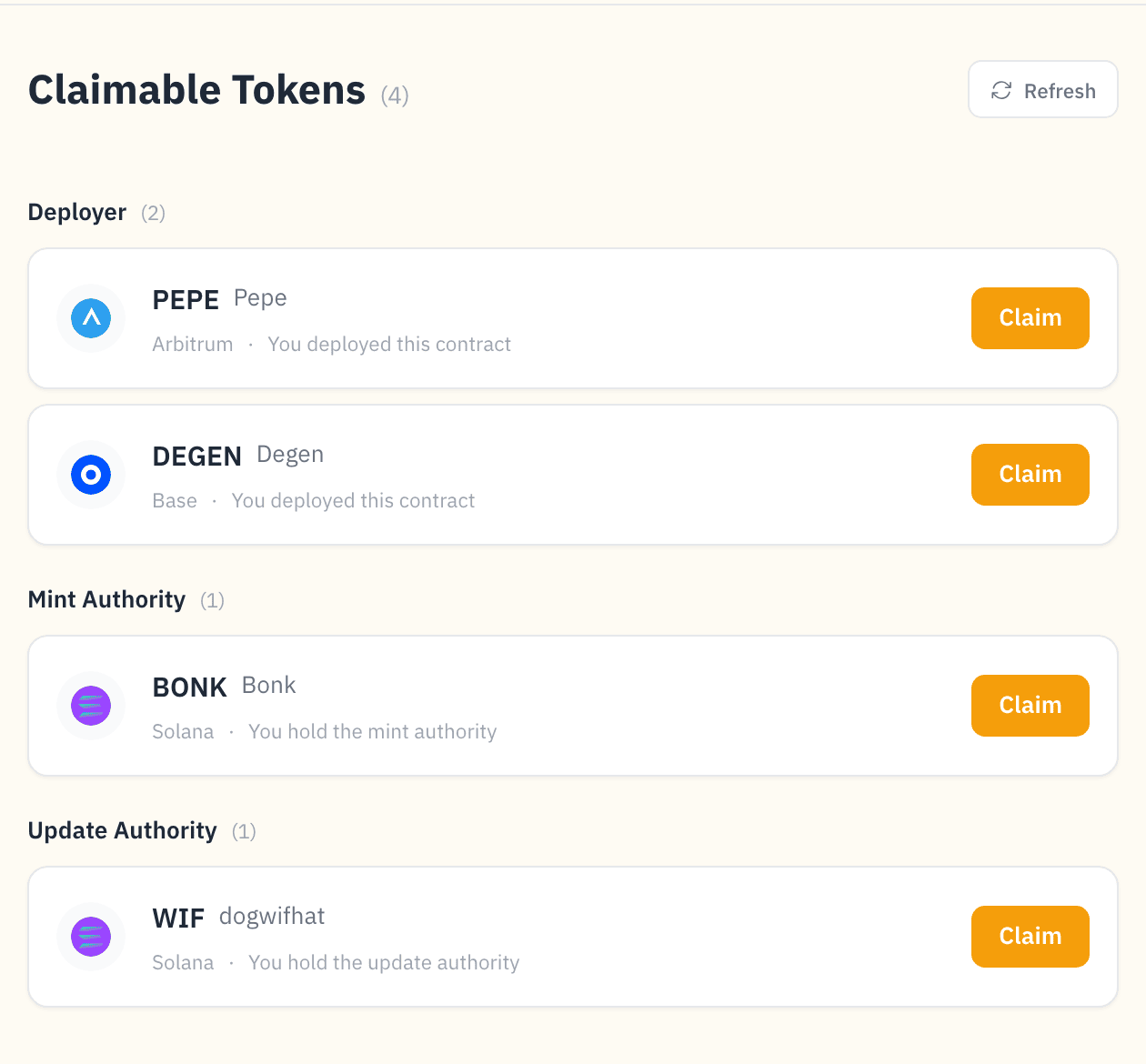
Solana
Two transactions: one proves you qualify, one files the registration. Both are guided with status indicators.
Not detected? Usually the wallet doesn't qualify, or the token isn't indexed yet. Owner, ENS, and majority-holder imports also go through Option 2. If the list fails to load, hit Retry.
Option 2: Search or add by address
For when the banner doesn't show your token.
Your token is already indexed
Search by symbol or contract address (e.g.,
DOGE,PEPE). Check the status says Unregistered, or Inactive if an earlier registration has lapsed.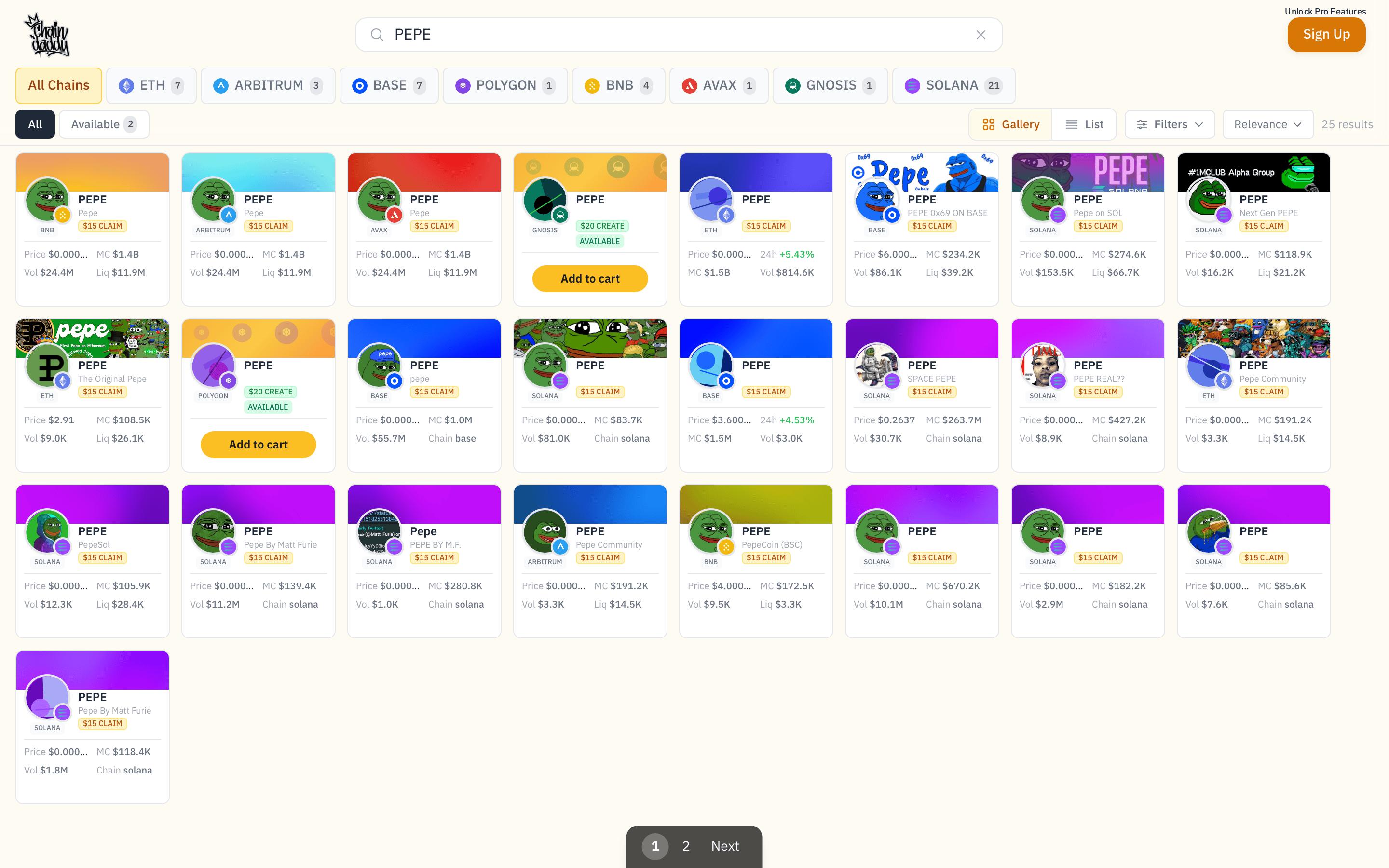
Connect the wallet that qualifies: deployer, owner, mint or update authority, majority holder, or the ENS record holder.
Click the result to open your token's page. Ownership is checked there automatically, using the strongest method your wallet has. No separate "verify" button.
Click Import to file your on-chain registration.
Your token isn't in search yet
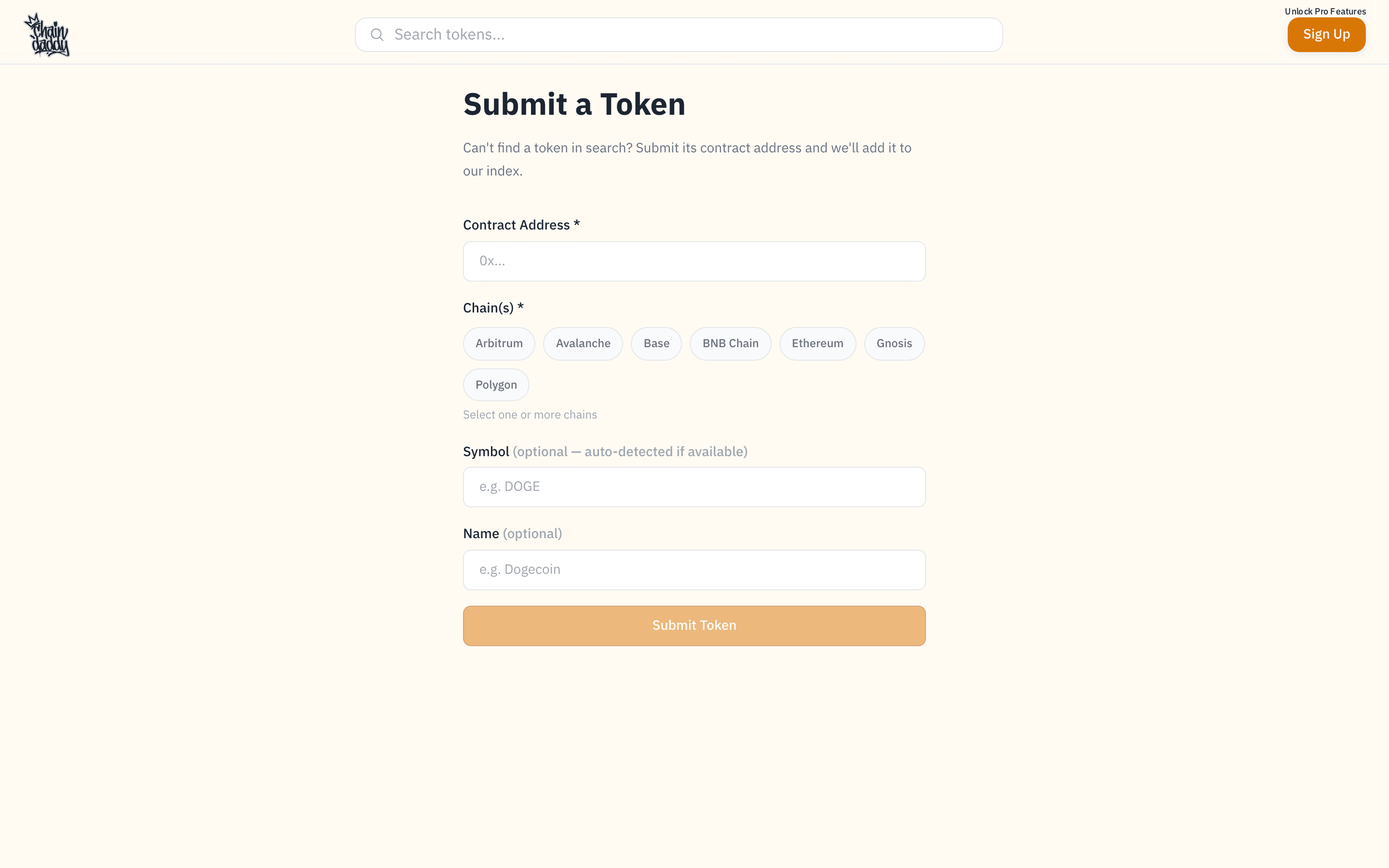
Paste the contract address (your token's address on the blockchain) into search. A "Can't find a token? Listing is FREE" link appears under the search box, or go straight to Add a token. Pick the chain(s) and add it: Chain Daddy indexes your token for free and sends you to the tokens you can import to finish.
What the search statuses mean
| Status | Meaning |
|---|---|
| Available | No token with this symbol on this chain. Create one. |
| Unregistered | Token exists, nobody has registered it. Import it. |
| Registered | Someone else is the verified owner. |
| At-Risk | Registered, but health is below 60. The 30-day expiry countdown is running. |
| New | Registered within the last 30 days. Can't be reclaimed yet. |
| Inactive | Registration expired. The token is open to import again. |
Verification Methods
To import, your wallet has to be one the blockchain already links to the token. Chain Daddy tries every method and uses the strongest one your wallet has, automatically.
| Your wallet… | EVM | Solana |
|---|---|---|
| is the token's owner or admin | ✓ | — |
| can mint new tokens (mint authority) | — | ✓ |
| can change the token's on-chain details (update authority) | — | ✓ |
| is the creator a launchpad recorded, like pump.fun | — | ✓ |
| created the token (deployer) | ✓ | ✓ |
| has an ENS name that points at the token | ✓ | — |
| holds more than 50% of the supply (majority holder) | ✓ | ✓ |
ⓘ The exact checks, strongest first
EVM (strongest first): Owner (owner() returns your address, or you hold the contract's admin role) → Deployer (you deployed the contract) → ENS text record (your ENS name's com.chaindaddy.token record is the token address) → Majority Holder (more than 50% of supply).
Solana (strongest first): Mint Authority → Update Authority → Launchpad Creator (pump.fun's bonding curve records who its creator fees go to; use it when a bot launched the token for you) → Deployer → Majority Holder (more than 50% of supply).
Full details: Verification Methods.
Pricing
Standard imports: $15 platform fee plus gas. The fee is for tokens created elsewhere. Current rates in Registration & Creation Pricing.
OG projects import free
Deployed 60+ days ago, market cap $50,000+, liquidity $10,000+: the platform fee is waived. You pay gas only. Look for the OG badge in search. OG Free Registration
Launched on the Chain Daddy launchpad?
Your registration is free. Register it from the launch page. Free verified token page
Not deployed yet? Create it here and registration is included, no eligibility check.
After You Import
Edit Profile opens your token manager. From there:
- Set up your page. Branding, verified socials, listing export.
- Add apps. A store, a gallery, polls, charts and more: Apps & Integrations.
- Reach holders. Notifications, polls, airdrops.
- Open content to holders. Telegram gating, holder links.
- Get alerts for copycats, price swings, pulled liquidity and health dips: Alerts.
- Share the work. Delegate page editing to another wallet.
- Collab or sell. Ownership deals.
Next Steps
- Token Management: customize your page
- Token Health: keep your registration
- Listing Export: get listed on aggregator platforms