
Plain Token: Run Your Own Liquidity
Most creators want Create a Token
It creates your token and the pool it trades in together, with nothing up front and no liquidity to add or manage, and you keep most of the trading fees. This page is the advanced path, for running the market yourself.
A plain token is a standard ERC-20 (an SPL token on Solana) from Chain Daddy's own factory, with no pool. You pay $5 per chain once, the whole supply goes to your wallet, and Chain Daddy takes no share of its trading. In exchange, the pool is yours to run: you create it, fund it with your own ETH or SOL, decide whether to lock it, and open trading. Liquidity walks through each step.
Pick it for:
- Total control of the market: the exchange, the opening price, and how much liquidity goes in and when.
- The whole supply in your wallet, to pair, airdrop or hold.
- No share of trading to Chain Daddy.
- A chain the launchpad doesn't run (which it does).
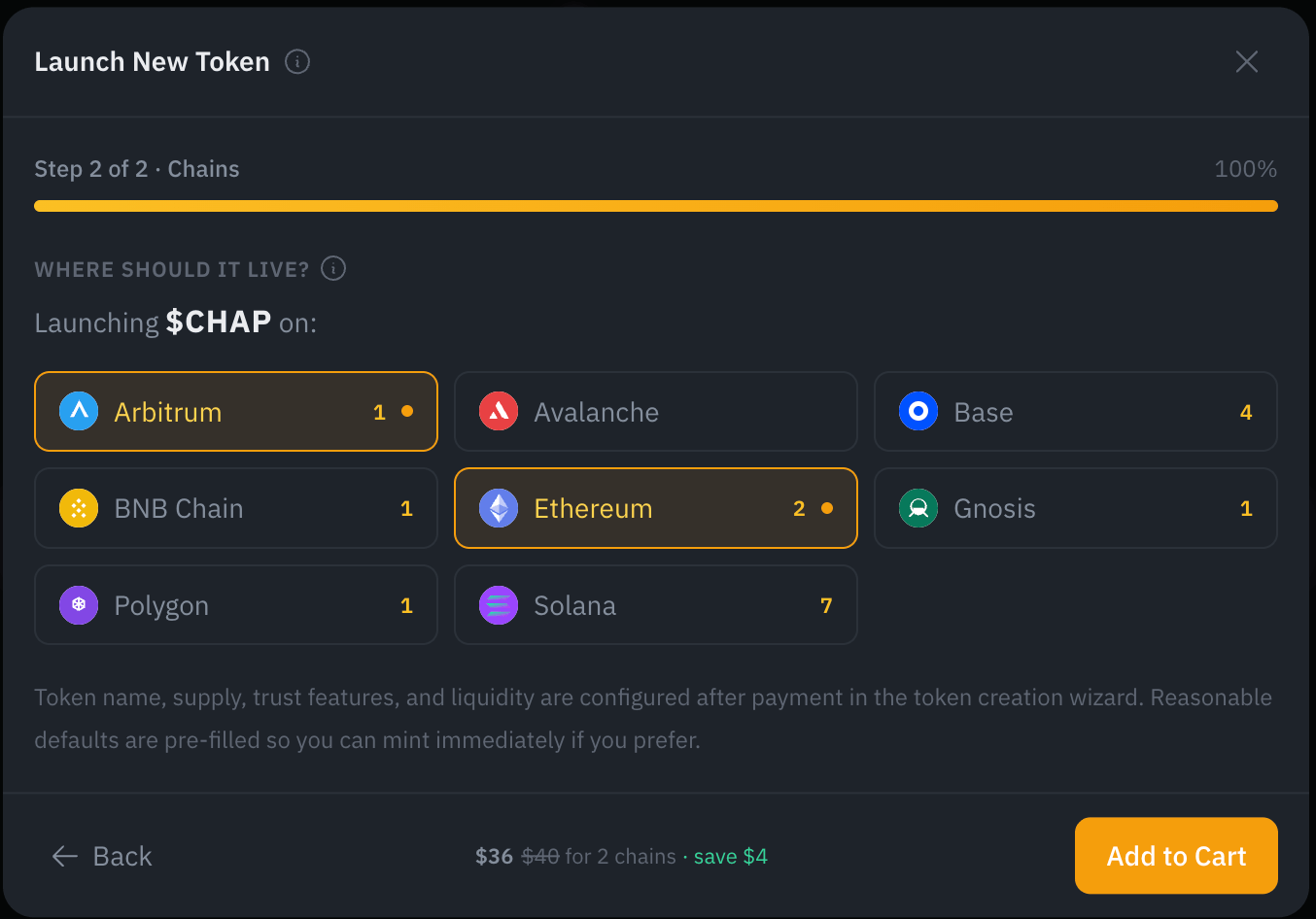
From the homepage: Launch New Token, name your ticker, pick your chains, set Fee structure to One-time fee, Add to Cart. Supply, settings, and trust features come in the wizard after checkout.
- Name it. Your ticker, 1–16 characters (Solana caps at 10). The display name, supply and the rest come after checkout.
- Pick your chains. One or more. Two or more take 10% off every chain, shown live in the footer.
- Set Fee structure to One-time fee, under the chain grid, then Add to Cart and check out.
- Set up your token in the wizard: supply, settings, anti-bot protection.
- Create it: sign one transaction per chain, or on EVM chains leave it to Chain Daddy (see Pricing). Then add liquidity so people can trade it.
Name already taken?
The Name step shows how many tokens already use a name, and the chain picker shows the count on each chain. A name taken on one chain can be open on another.
What you get
- Your token on each chain you chose: a standard ERC-20 (SPL on Solana)
- The full supply in your wallet: you control 100% of the tokens, and share them out however you like afterwards
- Your registration (the on-chain record that you own this ticker here), filed automatically, no separate step
- A public token page with details you can edit, linked into one across chains on multi-chain orders
- A listing export for the major platforms
The token has no admin controls beyond the ones you pick in the wizard.
ⓘ What a registration is
An on-chain record of your ownership that can't be sent to another wallet. It changes hands only through a completed deal, or when you release it yourself, which frees the symbol.
Pricing
| Cost | |
|---|---|
| Each chain | $5, paid once at checkout. Registration included |
| Ethereum | 1x–8x the standard price, live (why) |
| Two or more chains | 10% off every chain (bundles) |
| Network fee (gas), EVM chains | None needed. Once your token is set up, you can sign its transaction and pay the gas yourself; if you don't within a few minutes, Chain Daddy submits it for you |
| Network fee, Solana | About 0.05 SOL from your wallet, most of it a deposit held in your own accounts, not a fee. Keep about 0.1 SOL there |
Every token created here is registered free, with no eligibility check. OG status is only for existing tokens created elsewhere. All rates: Registration & Creation Pricing.
Which Chain Should I Choose?
Pick the chain your community already uses, or more than one. Every chain gets the same token and the same page; what differs is the network fee your holders pay to trade.
| Chain | Network fees |
|---|---|
| Solana | Under a penny |
| Ethereum | Highest, and priced live |
| Arbitrum | Usually under $0.10 |
| Base | Low |
| Polygon | Very low |
| BNB Chain | Low |
| Avalanche | Low |
| Robinhood Chain | Low |
On more than one chain, your pages link into one token page, and two or more chains take 10% off every chain. Pricing
Creation Wizard
After checkout, a short wizard sets up your token before it is created: identity, supply, settings, trust, review. Progress saves at every step, and every step comes pre-filled with a sensible default. Accept them and mint, or change any step.
Setting up a token in the wizard. The symbol is locked to your paid order; everything else has a default you can change.
Some choices are permanent
Your symbol, total supply and decimals can't change once the token is created. Token settings can be switched off later but never back on, and renouncing ownership can't be undone. The review step flags each one before you sign.
Step 1: Identity
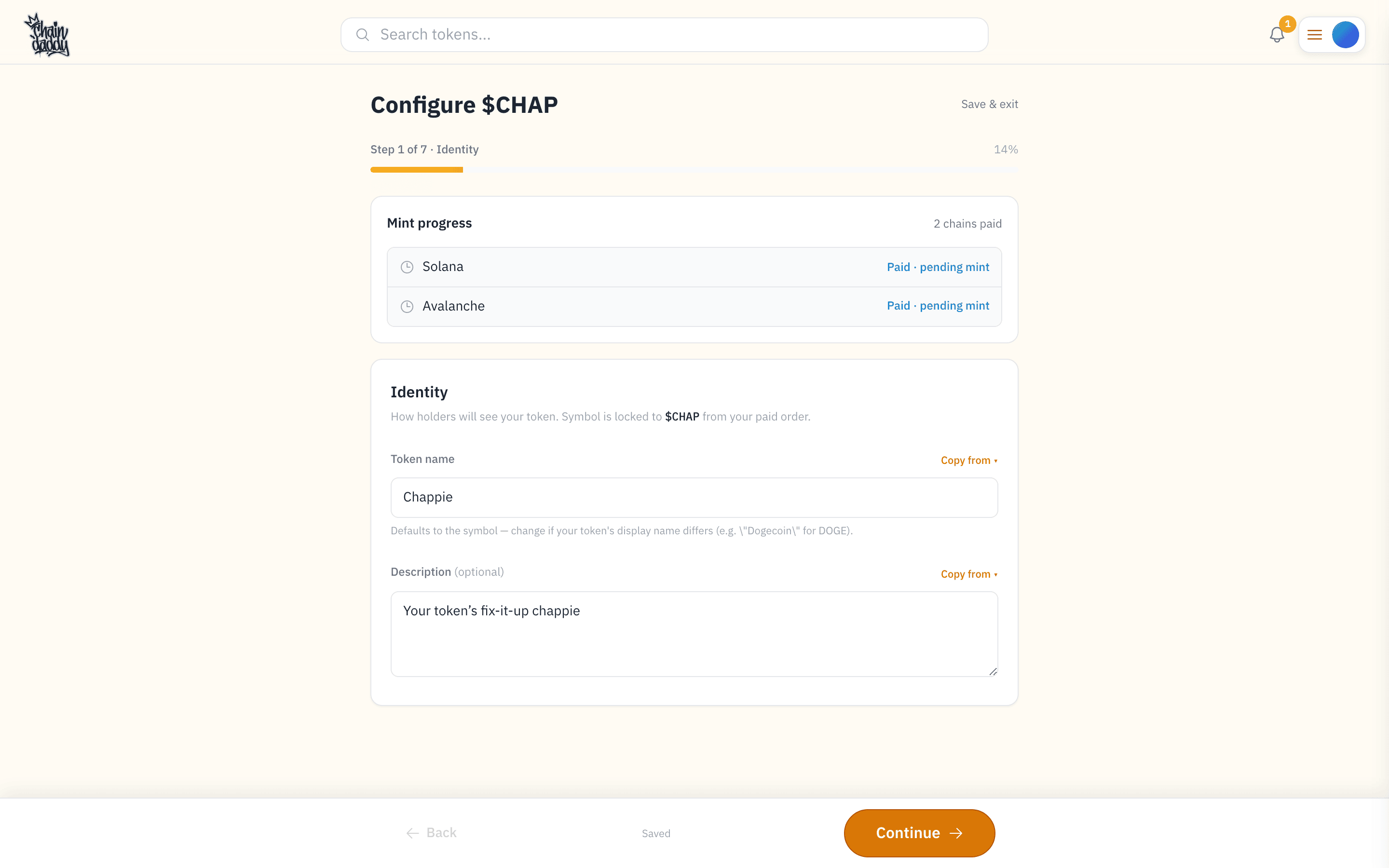
Name your token and add a one-line description. The symbol is locked to your paid order. The name defaults to the symbol; change it if your display name differs (e.g. "Dogecoin" for DOGE). The description is optional: a one-liner marketplaces and search can show next to your token.
Step 2: Supply & Precision
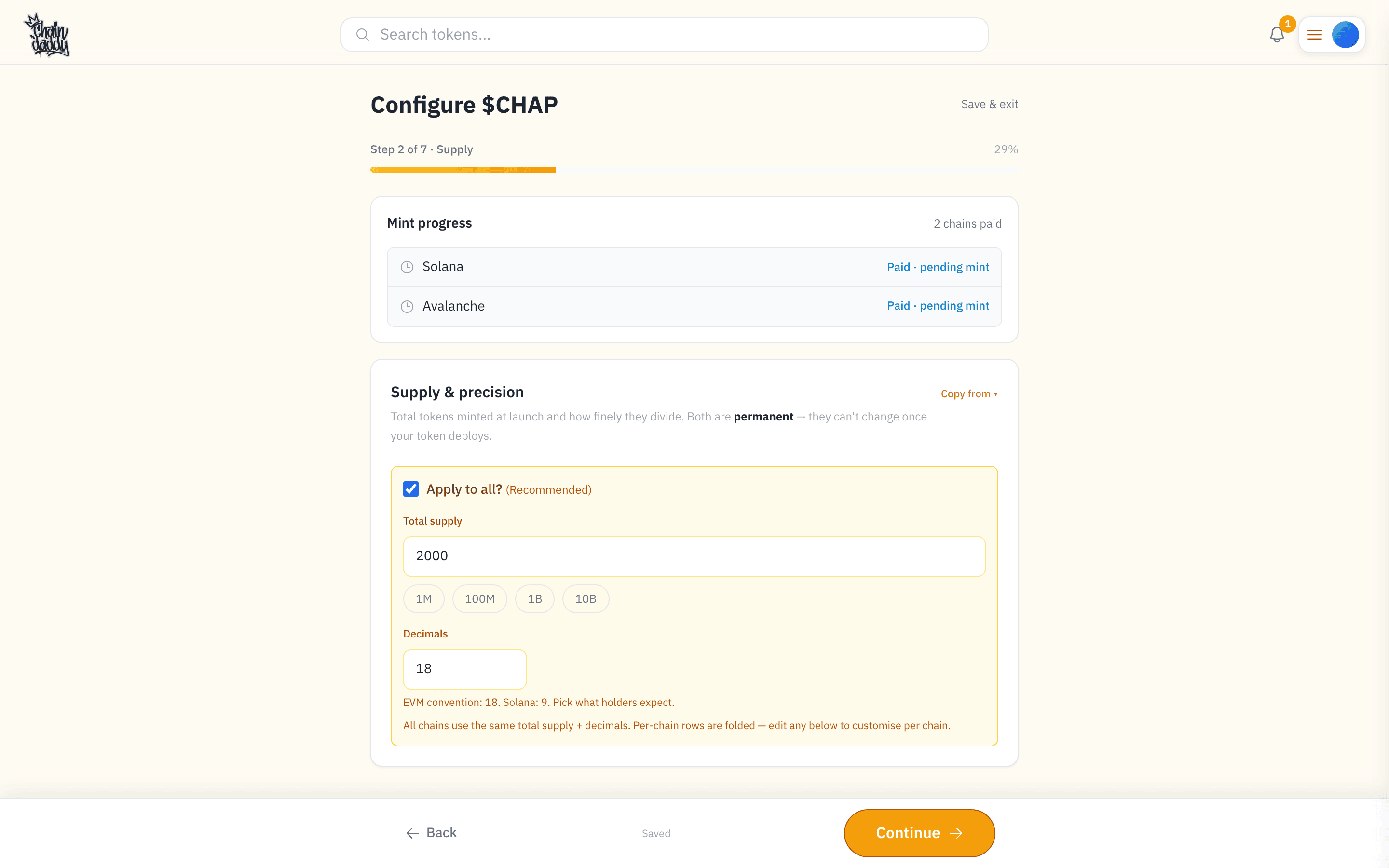
How many tokens exist at launch, and how finely each one divides. Both are permanent once the token is created.
- Total supply: how many tokens are created, all into your wallet. Presets: 1M / 100M / 1B / 10B.
- Decimals: how finely each token splits, like cents in a dollar. The norm is 18 on EVM chains (Ethereum, Base, and chains like them) and 9 on Solana. Pick what holders expect.
Multi-chain orders get an Apply to all toggle: same supply and decimals on every chain. Uncheck it for per-chain values.
Step 3: Token Settings
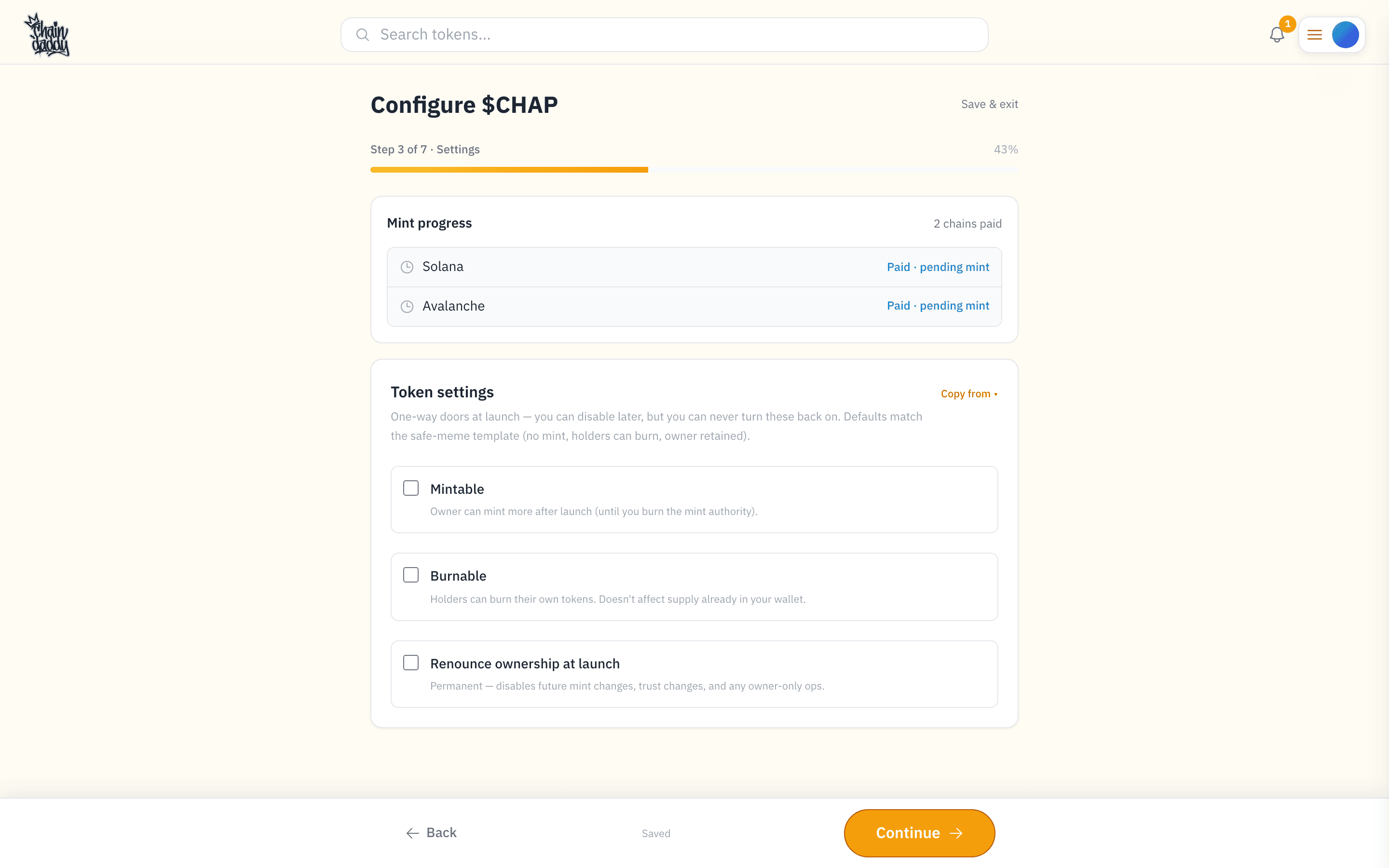
What your token can do. These are one-way doors: you can switch them off later, never back on. The defaults (a safe-meme template): not mintable, holders can burn, you keep ownership.
- Mintable: you, the owner, can create more tokens after launch, until you give that up (burn the mint authority). Off by default, for a fixed supply.
- Burnable: holders can destroy their own tokens for good. It doesn't touch the supply in your wallet.
- Cap supply (mintable only): the most that can ever exist. Set a Max supply. No cap means uncapped.
- Renounce ownership at launch: give up every owner-only control, including minting more and changing trust settings. Irreversible. Unless you add liquidity in the same step, trading opens the moment the token is created, before any pool exists. Why that matters
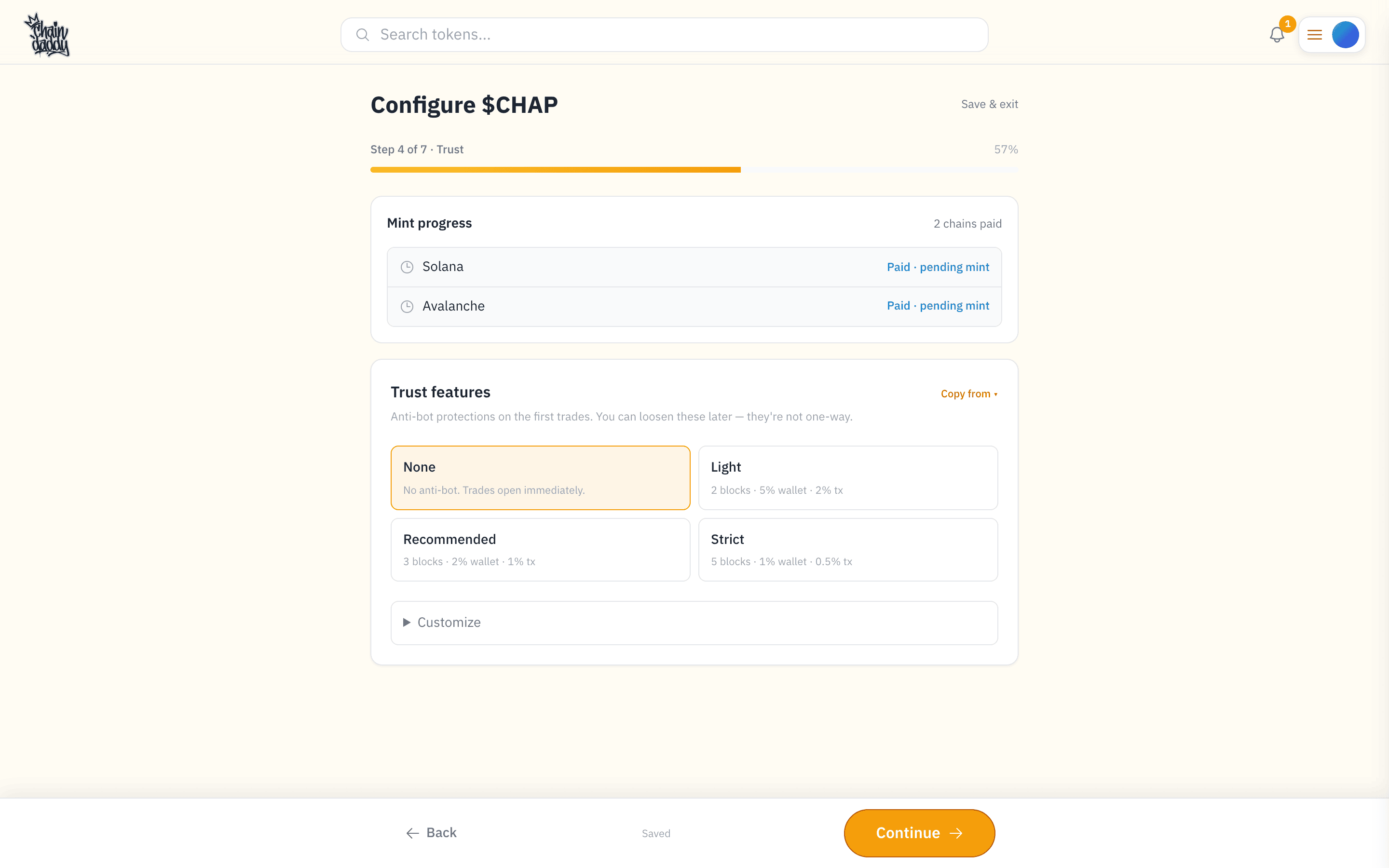
Step 4: Trust Features
Anti-bot protection for the first trades. Max wallet and max tx can be loosened later from your token manager; deadblocks is fixed when the token is created.
Pick a preset (None, Light, Recommended, Strict) or open Customize:
- Deadblocks (0–10): for this many blocks (the chain's steps of time) after trading opens, buys are blocked. Shakes off bots that buy in the very first block.
- Max wallet: the largest balance any one wallet may hold, as a share of total supply in hundredths of a percent (100 = 1%).
0turns it off. - Max tx: the largest single trade, in the same units.
0turns it off.
Expanding a token you already own?
Launching a symbol you hold on other chains? An extra Import step appears before the summary: copy branding and settings from a chain you've already configured.
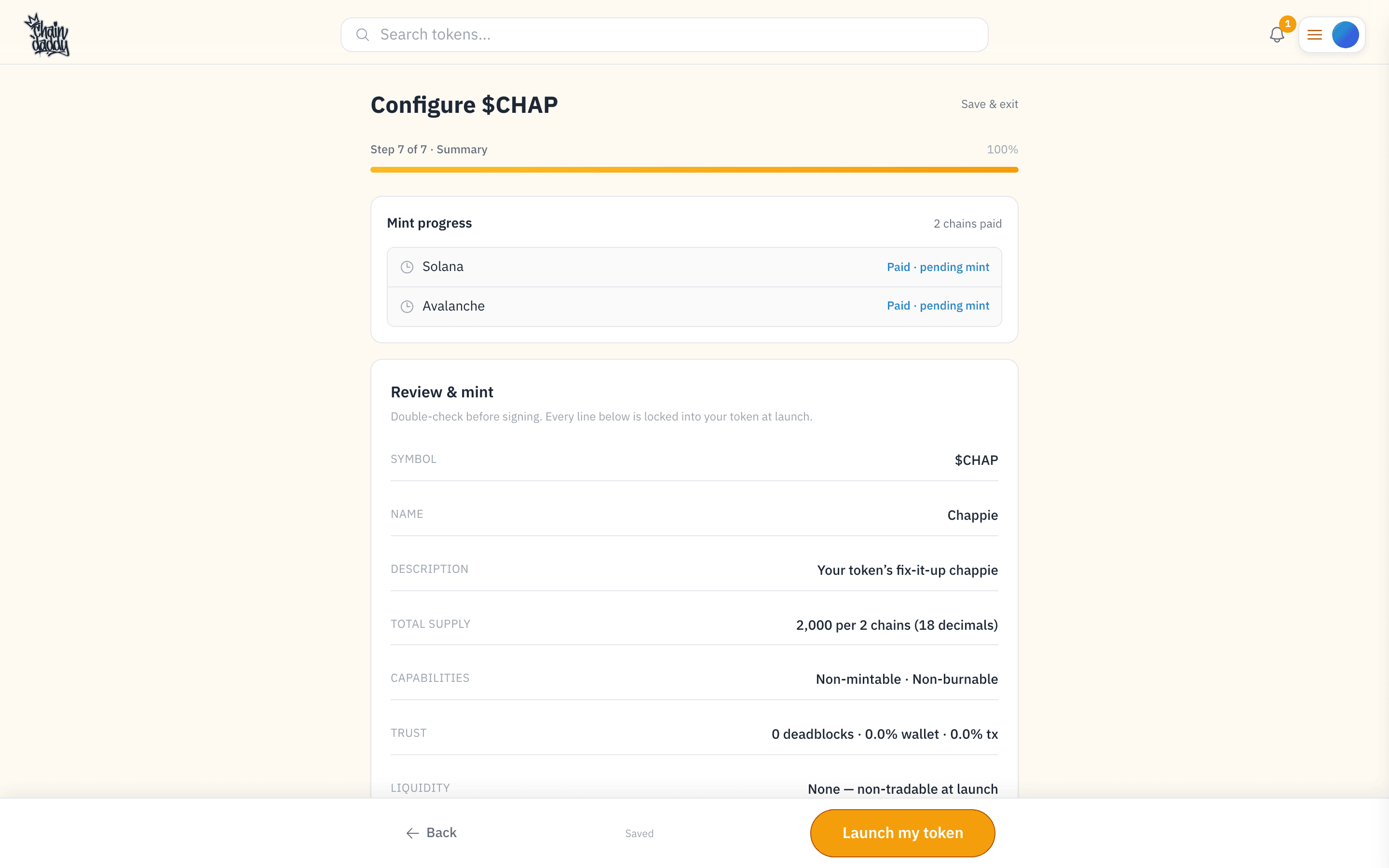
Step 5: Review & Mint
Everything in one summary: symbol, name, supply, capabilities, trust. Permanent items are flagged (symbol, total supply, decimals, any "renounce ownership" choice); the rest is adjustable later from your token manager. Your order is paid. Sign one transaction per chain from your connected wallet (on EVM chains you can leave it to Chain Daddy: see Pricing).
After the mint: liquidity & trading
Your token now exists, but nobody can buy or sell it yet, unless you paid with an EVM wallet and used Make it Tradeable, which does all of this in the same transaction. To make it tradable, add liquidity (the money in the pool that lets people buy and sell): you put some of your tokens and some ETH or SOL into a pool on an exchange. On EVM chains you then open trading.
Do it right after mint, from the launch checklist's Add liquidity now → (it opens Create Pair), or any time later. Until then your token simply isn't tradable. Liquidity covers how much to add, the opening price, and locking.
What next
- Add apps to your token page
- Message your holders when you ship something
- Holder links open only to people holding your token
- Listing export for the major platforms