
Build a game app
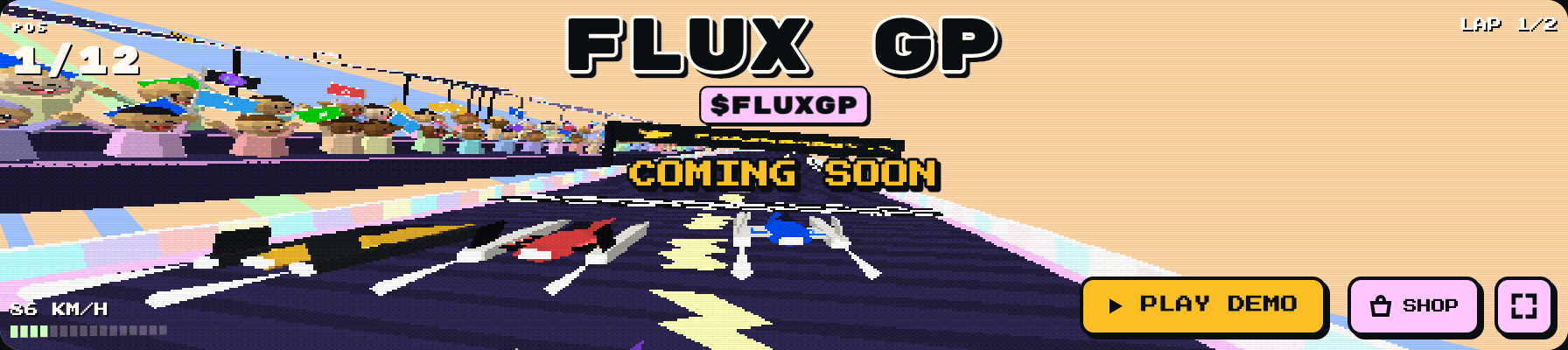
The worked example is the open-source FLUX GP racing game.
What you'll end up with:
- a coin with its own page on Chain Daddy;
- a store on that page selling your game's items, priced in your token or in dollars;
- your game running on the page, where a bought item shows up in the game within seconds;
- if you need one, a game server that checks what each player owns and spends it once.
What you need: TypeScript for the game, and Go (or any language) for an optional server. A Chain Daddy account on a paid plan (from $5 a month): the store needs the plan and the Seller Terms, and publishing the app needs the plan and the Developer Beta Program agreement. Both are steps 1 and 2 of Publish your first app. To bring a game you already built instead, see Engine apps.
Quick start (15 minutes)
1. Play it. Open the web client and press PLAY. Its coin page is chaindaddy.io/FLUXGP.
2. Run it. You need Docker.
git clone https://gitlab.com/opencrown/flux-gp-kit && cd flux-gp-kit
docker compose -f deploy/docker/compose.yaml up --build
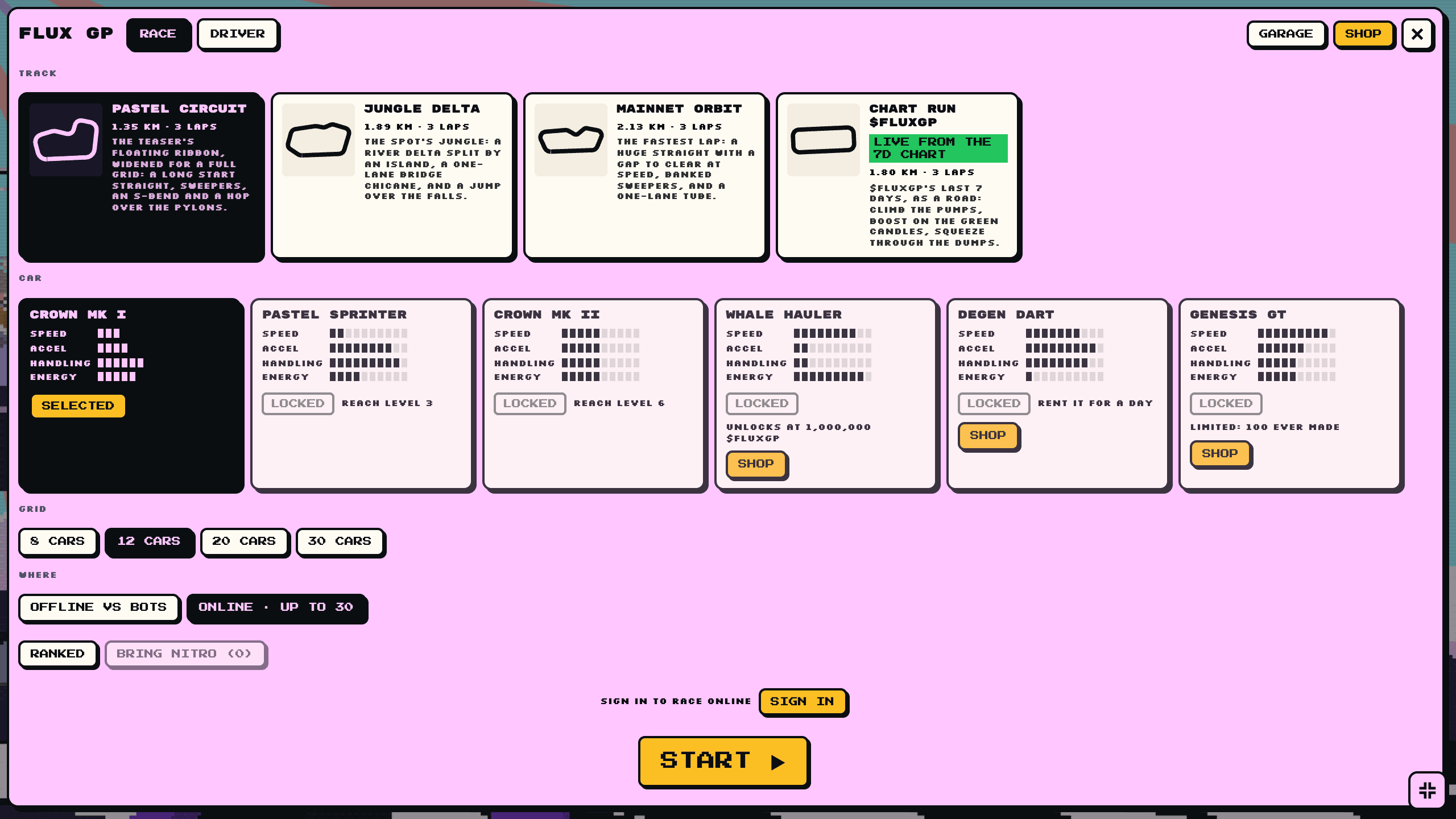
Open http://localhost:8080 in two tabs, choose ONLINE in both, and press START in each within 15 seconds to race yourself.
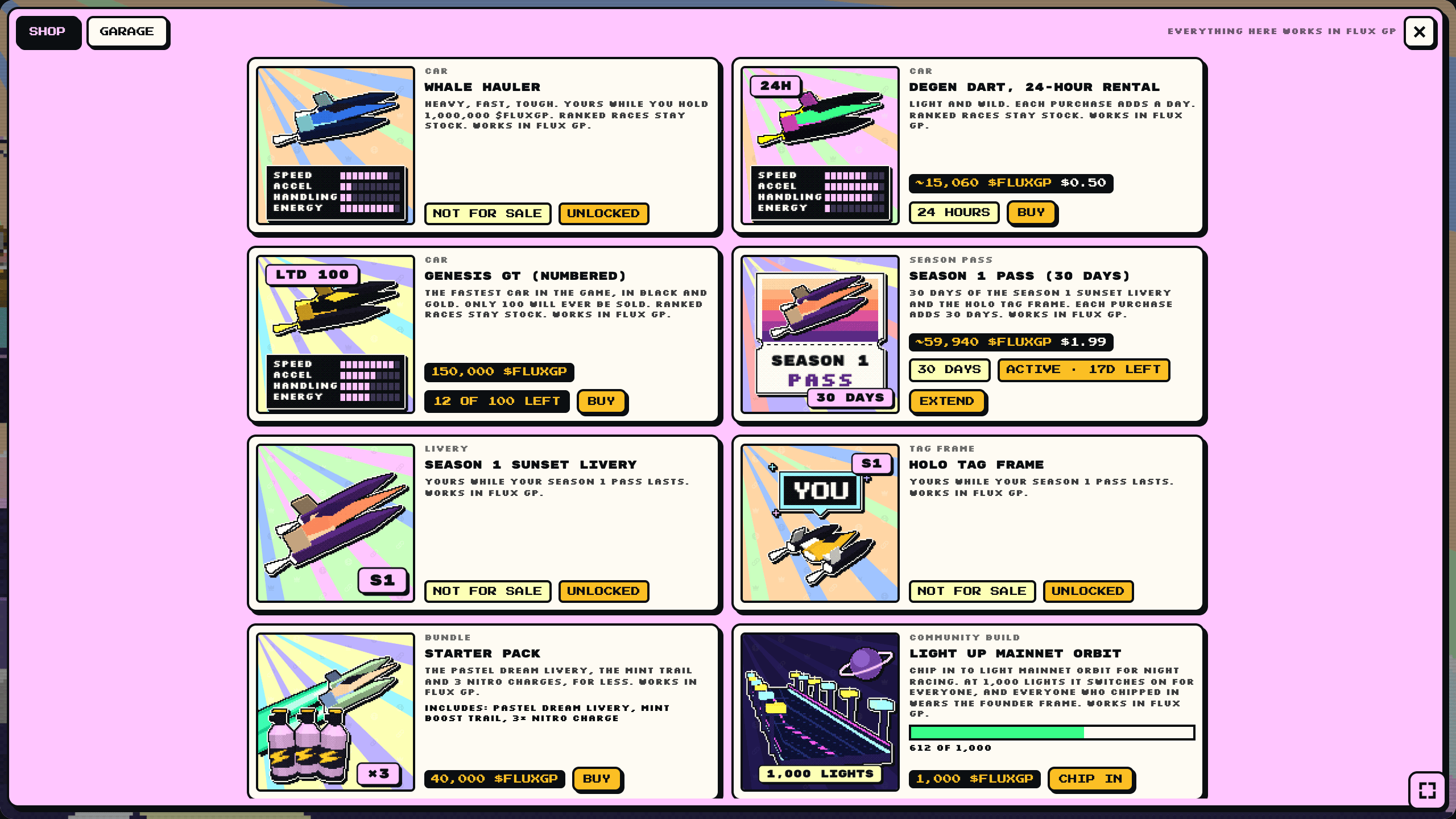
3. See the store as a coin page runs it. The preview stands in for the page and answers the app's requests from a copy of the real $FLUXGP store.
cd app && npm ci && npm run build
python3 -m http.server 8766 --bind 127.0.0.1    # then open http://127.0.0.1:8766/preview/
Open SHOP and buy something. Add ?iap=owned to start with items owned, or ?iap=signedout to see a signed-out visitor.
4. Read four files.
| File | What it shows |
|---|---|
economy/catalog.json | What the store sells, and how each item maps into the game (metadata) |
app/src/store.tsx | The app reading the catalog and the viewer's items, and buying through the page |
server/cdapi/cdapi.go | The server checking what a player owns, spending it, and awarding prizes |
app/capp.json | What the app asks the page for: permissions, and the server it may connect to |
How the pieces fit
  Your token ──── its page on Chain Daddy (chaindaddy.io/YOURTOKEN)
                     │
                     ├── the store: items for sale, and what each wallet owns
                     │
                     └── your app (a Crown App): the game, sandboxed on the page
                            │  onAction(...)   ask the page to run a purchase, read the store
                            │
                            └── your game server (optional): matches, results, prizes
                                   │  store key (scoped): read items, spend them, award drops
└── Chain Daddy API- Money does not pass through your code. When a player buys, the page shows its own purchase sheet and their wallet pays the store directly. Chain Daddy records the result as an entitlement: this wallet owns this item, this many, until this date. Your game reads entitlements.
- The app asks, the server decides. The app runs in a sandbox and asks the page for anything sensitive through
onAction. Anything another player or a payout depends on (an entry fee, a ranked result, a prize) is decided by your server, with a store key it holds. - Every write can be retried. Each call that changes something carries an idempotency key, so a retry spends or awards once.
Step 1: Your coin
- Launch a new coin, or verify one you already have: Launch a coin.
docs/launch/is the real $FLUXGP launch, written as a runbook an AI agent can follow while you review and sign. - Decide what's permanent. The name, symbol, supply and on-chain metadata can't change after launch. The page's description, media and layout can.
Checkpoint: your coin has a page at chaindaddy.io/YOURTICKER. $FLUXGP's is chaindaddy.io/FLUXGP.
Step 2: Your store and catalog
Install the CLI, sign in as the page's owner, and open the store. The owner's wallet signs the Seller Terms first, once, at chaindaddy.io/_seller-terms; until it has, the last command answers SELLER_TERMS_REQUIRED with that link (who can open a store):
npm install -g @chaindaddy/cli@beta
chaindaddy login                                  # a link and a code: sign in through your browser
chaindaddy iap store open --page FLUXGP           # your ticker; prints the store and its id
Then decide what to sell:
| Type | Use it for | In FLUX GP |
|---|---|---|
non_consumable | Something you own for good | Liveries, boost trails, a car, a numbered livery (maxSupply: 250) |
consumable | Something you use up, or a bundle | Nitro charges; a starter pack that grants a livery, a trail and 3 Nitro |
timed | Access for a while | A 24-hour car rental; a 30-day season pass |
unlock | Free while a rule holds | A car for holders of 1,000,000 $FLUXGP (rule: {hold: {min}}); season items while you own the pass (rule: {owns: {sku}}) |
Price an item in dollars (priceUsdMicros, in millionths of a dollar), which converts to your token at checkout so the price doesn't swing with the market, or in your token (price, in base units: the amount with the token's 18 decimals written out, so the 25000000000000000000000 below is 25,000 tokens).
The one contract between your store and your game is each item's metadata:
{ "sku": "livery.whale-blue", "type": "non_consumable", "name": "Whale Blue livery",
  "price": "25000000000000000000000", "maxPerWallet": 1,
  "metadata": { "game": "flux-gp", "slot": "livery", "id": "whale-blue" } }
slot says what kind of thing it is and id which one. The game reads nothing else, so you can rename, reprice and redraw items without shipping a new version. Item art is 512×512, readable at 96 px, at any HTTPS or IPFS URL as the item's imageUrl.
Create the items from the catalog file, as the store's owner. Try it dry first:
DRY_RUN=1 ./economy/apply-catalog.sh <storeId>
./economy/apply-catalog.sh <storeId>
Checkpoint: chaindaddy iap sku list FLUXGP lists your items.
Full reference: Store and Rewards.
Step 3: Sell inside your game
A Crown App is a React component plus a manifest, capp.json. The page runs it in a sandbox and hands it onAction. Start from the kit, or from the game template.
Ask for what you use in capp.json:
"permissions": ["iap:purchase", "fetch:self-api", "storage:local", "ui:fullscreen"]iap:purchase lets the app sell from the token's store. Add wallet:sign if the app asks the viewer to sign typed data (FLUX GP's community vote does).
Read the catalog and what the viewer owns through the page, with the viewer's own session. chainKey and crownId name the page the app is on, and come from its props (chainKey and appData.tokenId):
const catalog = await onAction({ type: 'api-call', method: 'GET',
  endpoint: `/api/v2/iap/public/stores?chainKey=${chainKey}&crownId=${crownId}` });
const mine = await onAction({ type: 'api-call', method: 'GET',
  endpoint: `/api/v2/iap/me/entitlements?storeId=${storeId}` });
Turn items into game content with the metadata: an entitlement for livery.whale-blue becomes {slot: 'livery', id: 'whale-blue'}. The kit's slotOf in app/src/store.tsx is ten lines.
Buy by asking the page:
const res = await onAction({ type: 'iap-purchase', sku: 'livery.whale-blue' });
// res.data.status: 'confirmed' | 'paid' | 'cancelled' | 'failed'
confirmed means the item is theirs: read the entitlements again and apply it. paid means the payment is on chain and still confirming, so show that and read again when it lands (or subscribe with subscribeStore). cancelled charges nothing. The preview can play canceled and failed purchases too (?buy=cancelled, ?buy=failed).
Spend a consumable the same way, with no server, when nothing but the player's own game depends on it: the store's owner sets the item's spend limit, the app declares iap:consume, and it sends iap-consume from the player's tap. See Spending from the app. When a ranked result or a prize depends on the spend, do it on your server instead (Step 4).
Ship content only buyers get by putting its files in paid/<sku>/ in your package: a track pack, a level, a skin's art. A flag your game checks can be flipped by anyone who edits the game; a file they did not receive cannot be. See Paid files.
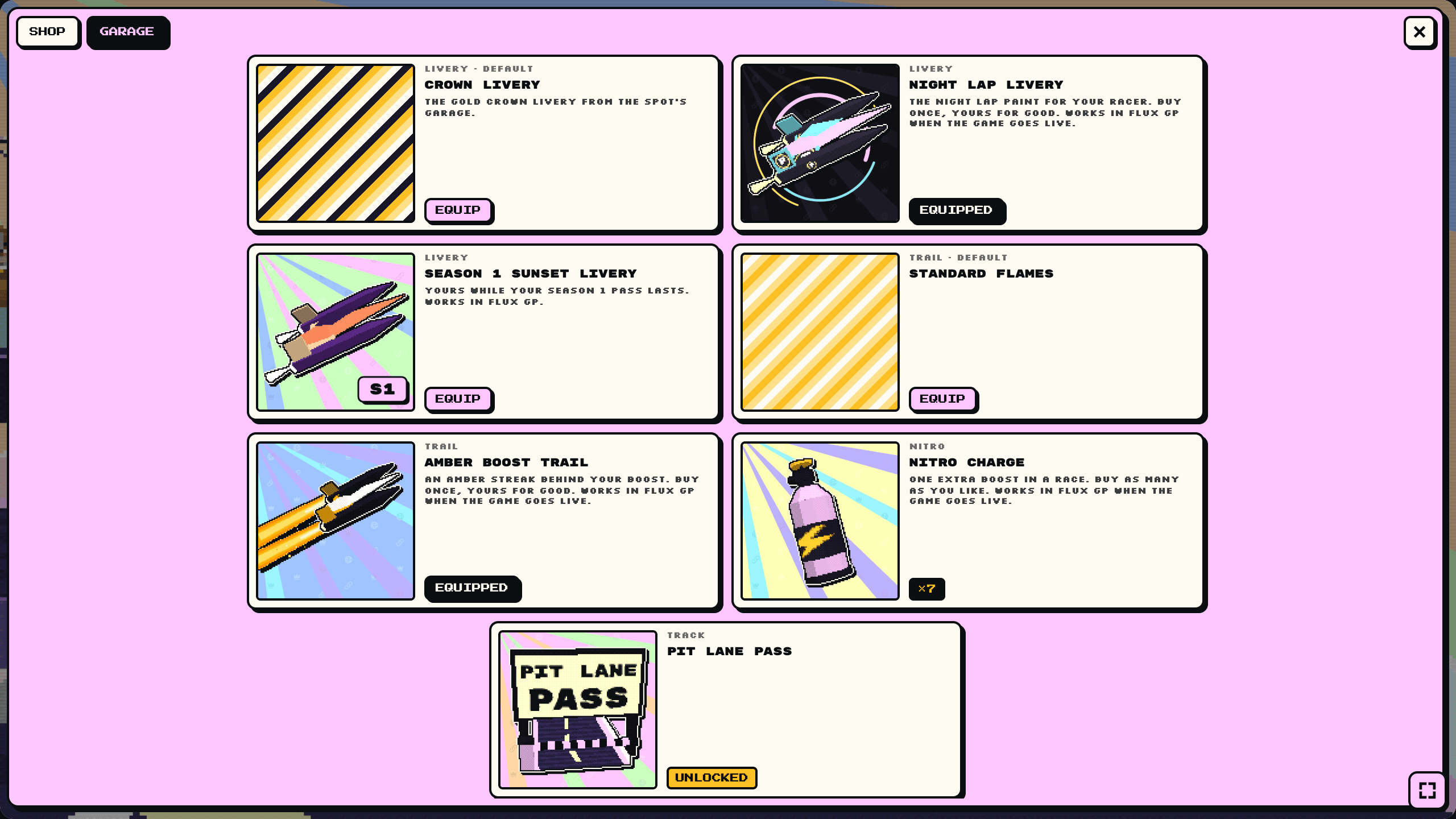
Checkpoint: in the preview, buying an item puts it in the garage, and equipping it changes the car.
Full reference: Actions and App Manifest.
Step 4: Your game server (when you need one)
A single-player game can stop at Step 3, consumables included. You need a server when something must be trusted beyond one browser: multiplayer, a spend a ranked result or a prize depends on, awarding a prize, a leaderboard. FLUX GP's is one Go binary (server/); the ideas carry to any stack.
Give it a store key, scoped to what it does and created by the store's owner:
chaindaddy iap key create <storeId> --name "game server" \
  --scope entitlements:read,entitlements:write,rewards:award
The secret prints once. Put it in the server's secrets, never in the app.
Know who's playing. In the page, the app asks for a session token (onAction({type: 'session-token'})) and sends it to your server, which checks it: your app id as the audience, the viewer's wallet as the subject. A viewer who isn't signed in gets the page's own sign-in through the sign-in action. Set the server's APP_ID to the id in your own capp.json, or it refuses every session token.
Check what they own before a match starts:
GET /api/v2/iap/stores/{storeId}/entitlements?wallet=0x… Authorization: Bearer cd_iap_…Spend exactly once. A Nitro charge is spent when the race starts, keyed by race and wallet, so a retry is applied once:
POST /api/v2/iap/stores/{storeId}/consume      Idempotency-Key: <room>:<wallet>
{ "wallet": "0x…", "sku": "nitro", "quantity": 1 }
Award items that can't overpay. Create an award-mode drop as the store's owner, and the server awards it. Chain Daddy enforces its caps (per wallet, in total):
POST /api/v2/iap/stores/{storeId}/drops/{dropId}/award      Idempotency-Key: <room>:<wallet>:podium
{ "wallet": "0x…" }
Pay token prizes from a prize pool you fund and cap: per award, per wallet, per day, in total. The server uses a second store key with airdrops:award, pinned to the pool by the wallet that funds it. Prizes must follow the prize rules.
POST /api/v2/iap/stores/{storeId}/airdrops/{campaignId}/award      Idempotency-Key: <room>:<wallet>:place-<n>
{ "wallet": "0x…", "amount": "500000000000000000000", "reason": "1st place, ranked race …" }
Chain Daddy sends each prize from the funding wallet straight to the winner; the winner claims nothing and pays no gas. FLUX GP pays 500 / 250 / 100 $FLUXGP to ranked podiums of at least four players (server/cdapi/economy.go). Give the server the pool and its key as CD_PRIZE_CAMPAIGN_ID, CD_PRIZE_KEY and CD_PRIZE_AMOUNTS (500,250,100).
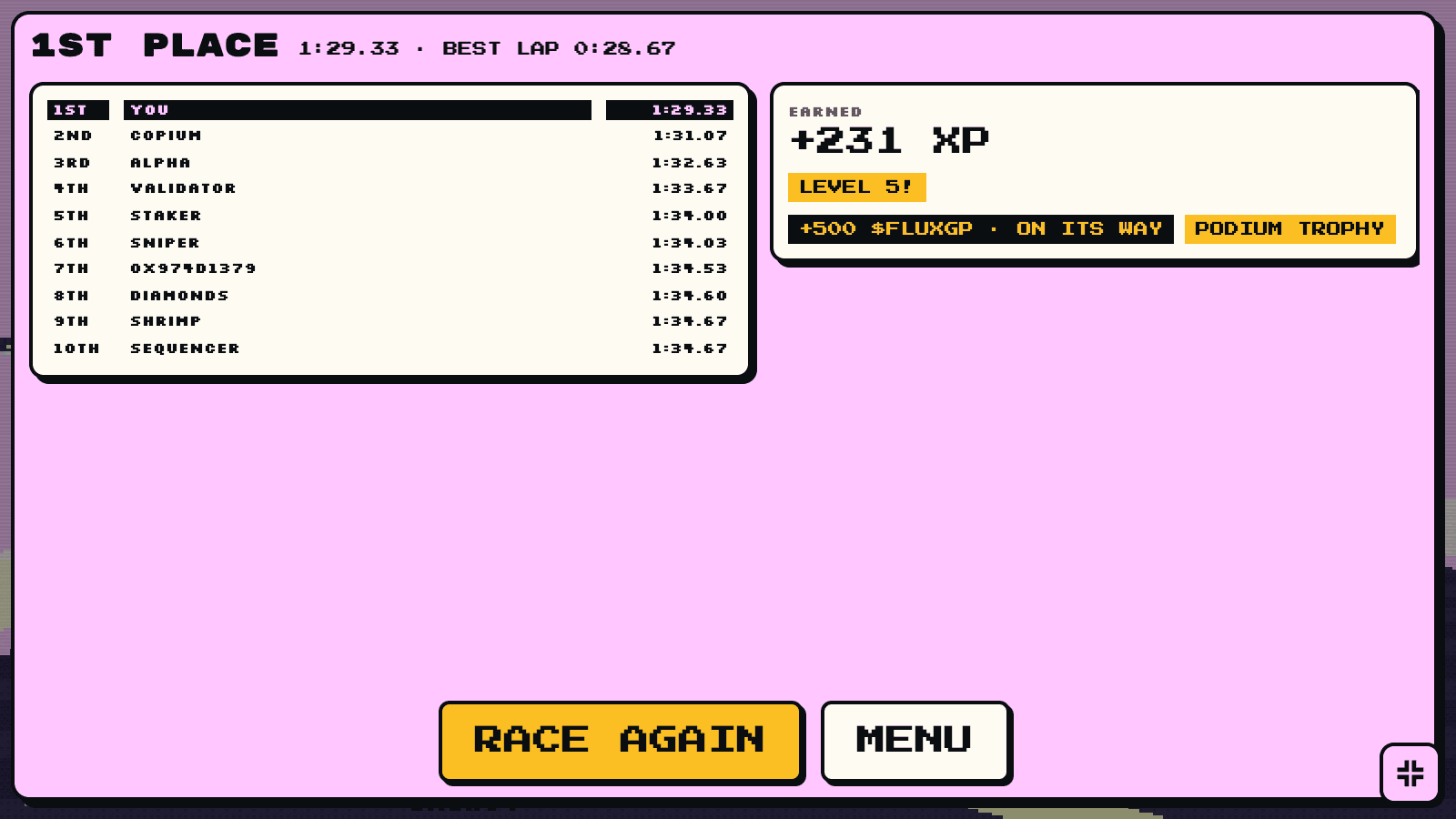
The kit can also run a tournament from the same pool: a free-to-enter event with a window, a prize table and published rules, defined as a file in server/tournament/events.
Hear about purchases with a webhook (chaindaddy iap webhook set <storeId> --url https://…/v1/webhooks/chaindaddy). Verify each call's signature, then refresh that wallet's items. See Your store's webhook.
Deploy it with docker compose on any host, one CloudFormation stack on AWS (deploy/aws), or Vercel plus a container (deploy/vercel).
Checkpoint: GET https://<your server>/v1/info shows "economy": {"store": true, …}. Then run the smoke test from the repo root:
go run ./server/cmd/smoke -server https://<your server>                          # as a guest
EVM_PRIVATE_KEY=0x… go run ./server/cmd/smoke -server https://<your server> -nitro   # as a wallet, with Nitro
For -nitro, use a throwaway wallet that holds a Nitro charge. Its key signs the login on your machine.
Step 5: Multiplayer on the page
The app may only connect to servers its manifest declares and review approves:
"permissions": ["iap:purchase", "fetch:self-api", "storage:local", "ui:fullscreen", "net:connect"],
"network": { "origins": ["wss://game.example.com", "https://game.example.com"] }
Your server sees Origin: null from the page's frame, so allow it in CORS. Keep the server the authority: it runs the simulation and decides results, and the client predicts and draws. FLUX GP's wire protocol is in docs/game/PROTOCOL.md.
Checkpoint: on the page, ONLINE finds a room, and a second browser joins the same race.
Step 6: Ship it
cd app
npm run build && npm run validate && npm run scan    # the bundle, the manifest, the platform's own checks
npm run pack && npm run sign && npm run submit       # one package, signed by this computer, uploaded
What each command does, and the preview, review and install that follow, are steps 6 to 9 of Publish your first app. Each new version is reviewed again.
To put the game first on the page, pick the Game layout in the page's style editor: the game takes the big slot, with the price chart and a buy panel beside it on a desktop, and comes first on a phone. Layouts need the Pro plan ($5 a month). See Layouts.
Before you tell anyone:
- [ ] Every item's description is true: what it does, how long it lasts, what "limited" means.
- [ ] Buying, canceling and a failed purchase all look right on a phone and on desktop.
- [ ] The store key lives only on the server, and the app bundle contains no secrets (
npm run scan). - [ ] Your server survives a restart: sessions, rooms and idempotency keys.
- [ ] You've bought one of everything yourself, with a real wallet.
What the frame does for you
The page doesn't scroll while the game has focus, gamepads work (read them inside a try: a browser that does not allow them throws), the visitor's mute and volume reach every sound, and in fullscreen the page draws a small HUD in the corners. See Engine apps: it applies to every game.
Designing it well
- Sell identity, not power. Cosmetics, and cars that are different rather than better. FLUX GP's ranked races use stock cars, so money does not buy a ranked win.
- Give every item a route that isn't money. Cars also unlock by level, so a player who does not pay still sees everything.
- Holding can unlock, not earn. Holding the token opens a car. It does not pay out, and the game does not talk about the token's price.
- Nothing you sell is random. No loot boxes. Prizes are free to compete for, and count people, not connections: one wallet gets one seat.
- Price in dollars when you can. A $0.50 rental should cost about $0.50 whatever the market did today.
- Keep copy true. "Only 250 will ever be sold" is fine, because the store enforces it. Anything that implies an item or the token will be worth more later is not.
The reasoning behind each choice is in docs/game/ECONOMY.md, and the code marks open extension points with Extend: (gifting, ghost laps, sponsored liveries).
Using an AI agent
Point your agent at this guide and at AGENTS.md, which maps the repo, lists the checks that must pass, and says how to add an item, a car or a track. For the token launch, docs/launch/RUNBOOK.md is written for an agent. Rules for any agent: it never handles a private key or seed phrase (you sign), and it never prints a store key or API key.
FLUX GP is MIT-licensed: gitlab.com/opencrown/flux-gp-kit.